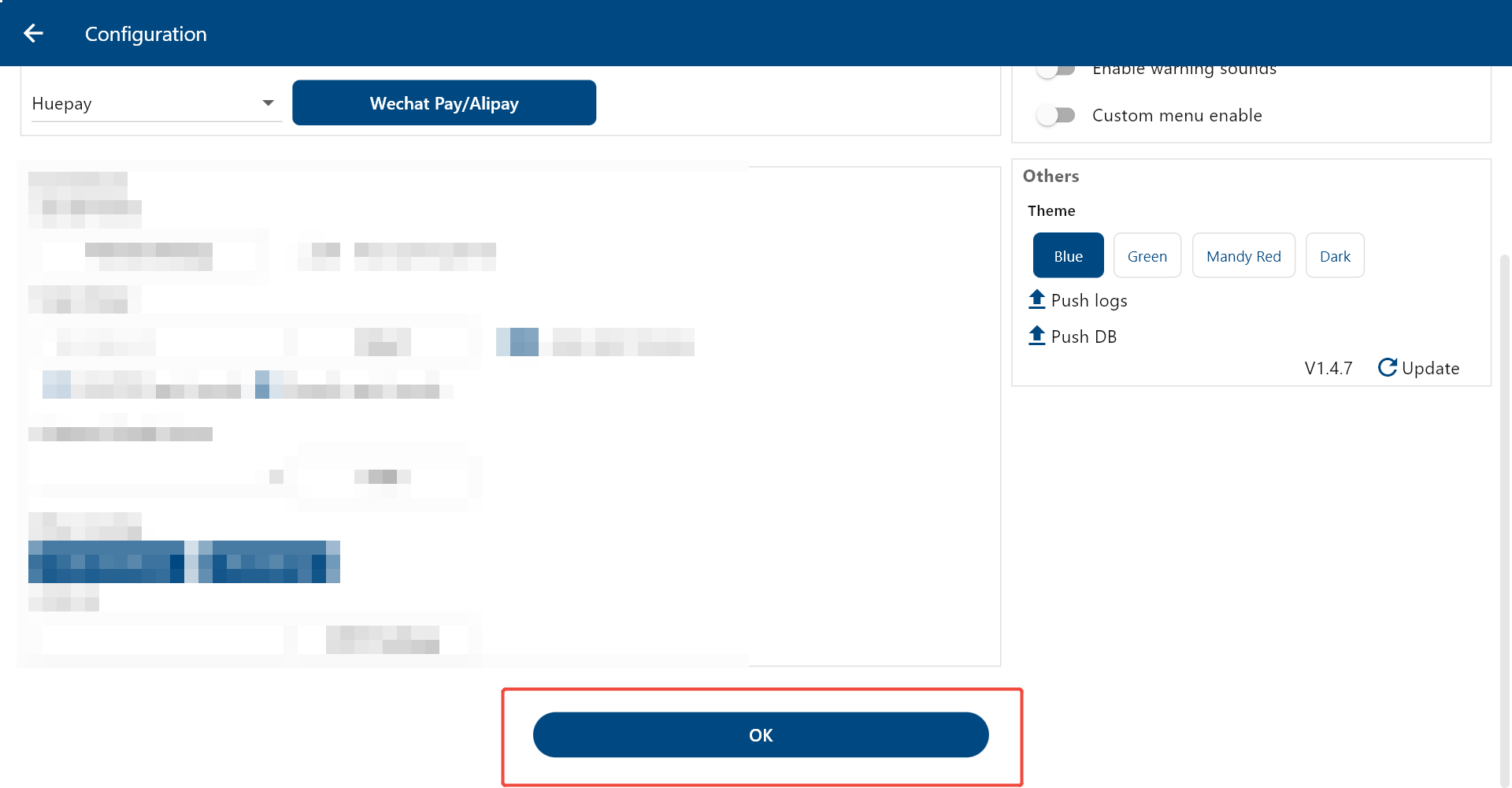
With Huepay integrated, ZiiPSI supports WeChat Pay and Alipay.
Please log in to psi.ziicloud.com.
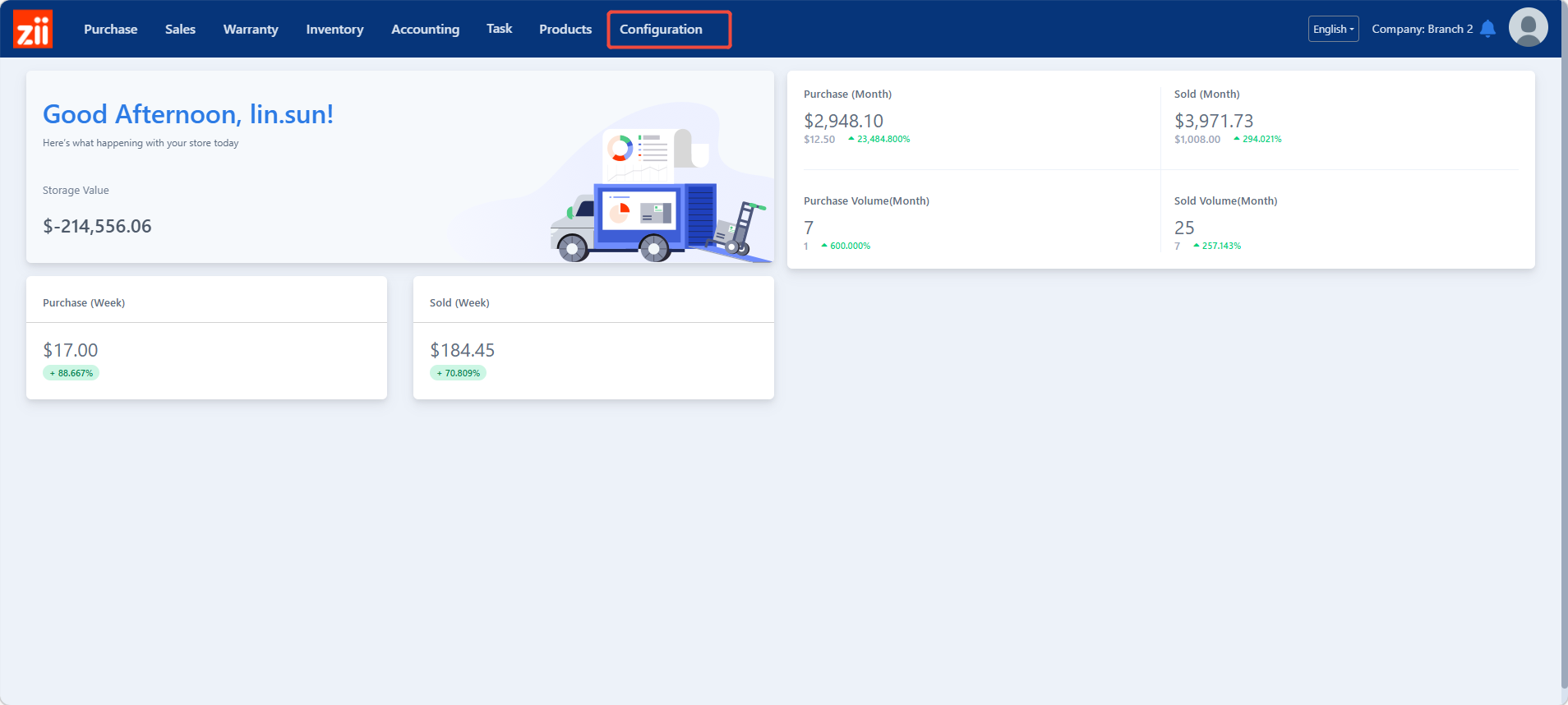
Go to “Configuration”.
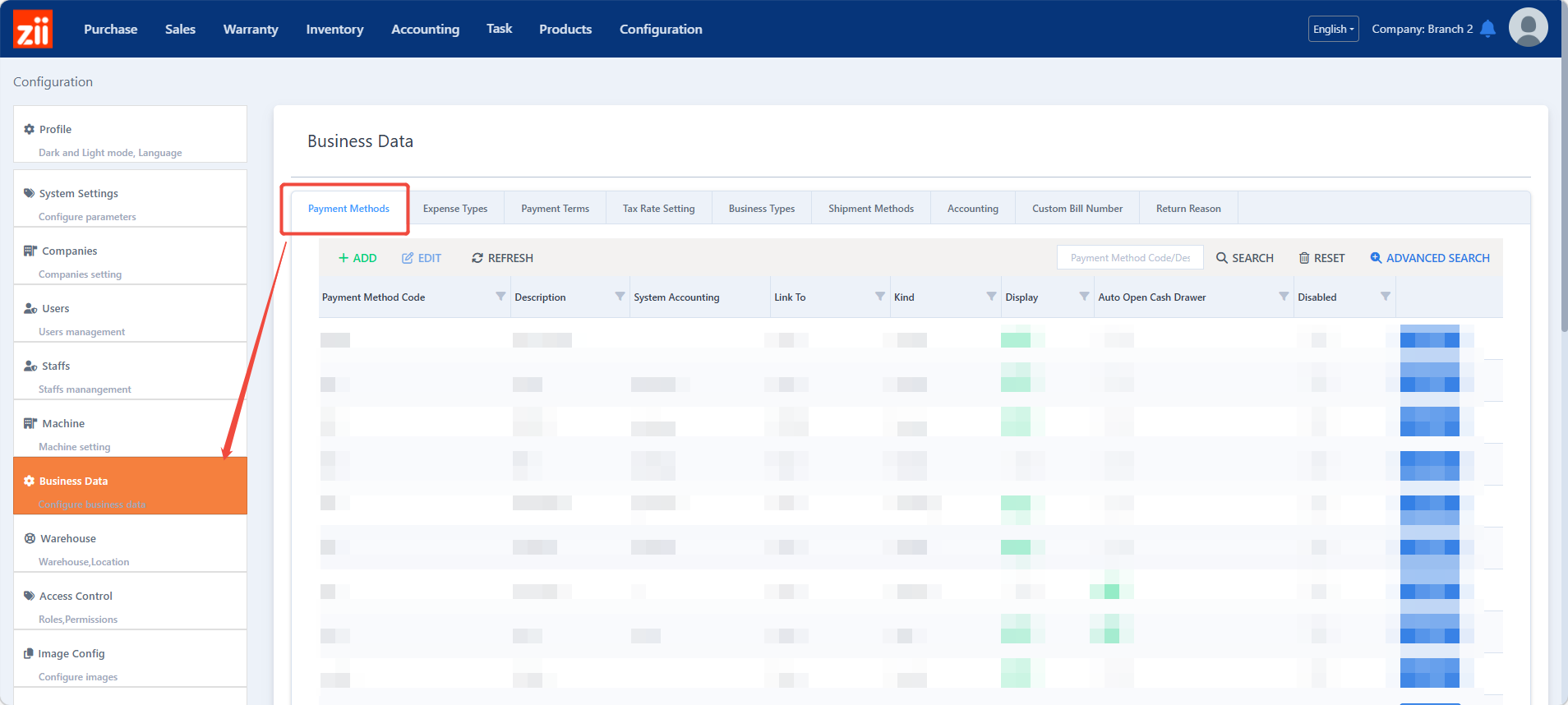
Go to “Payment Method” under “Business Data”.
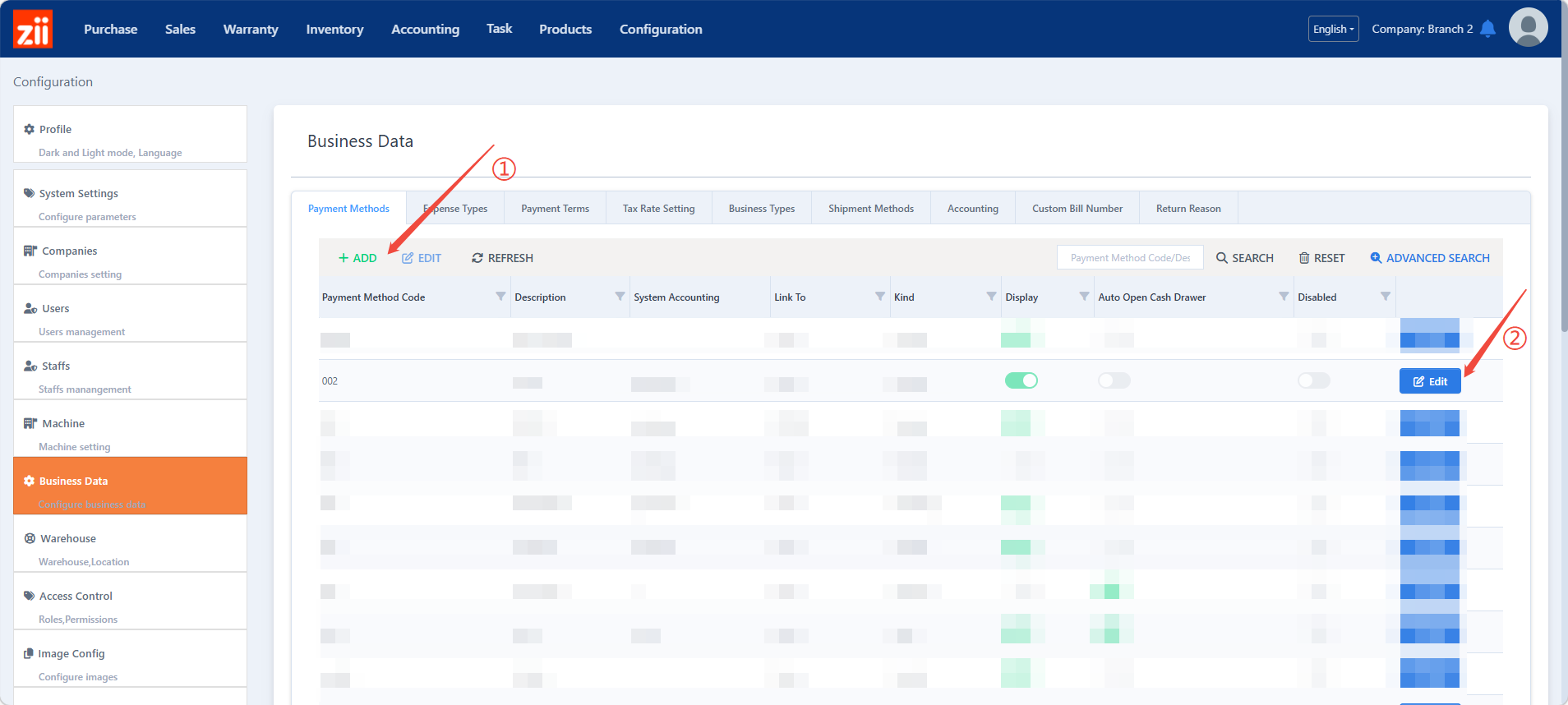
You may click “+ADD” ① to add new a payment method or click “Edit” ② to modify an exsited one.
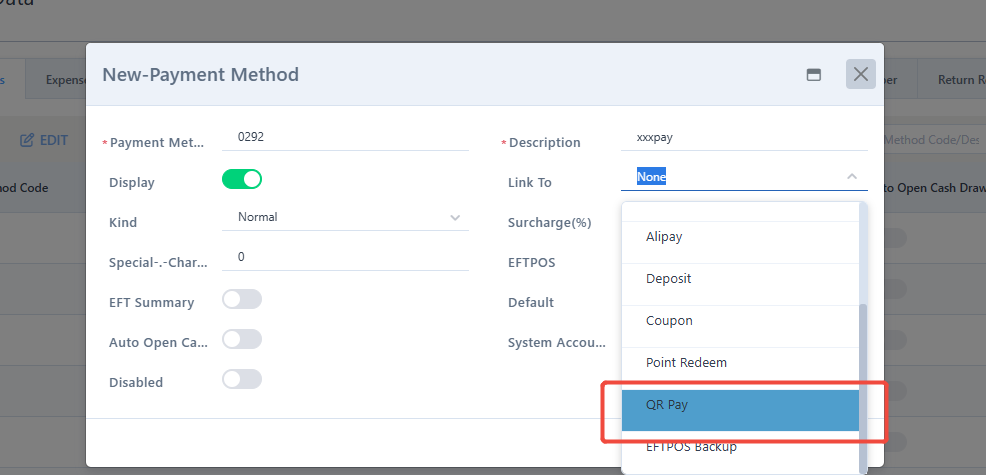
Select “Link To” to be “QR pay”.
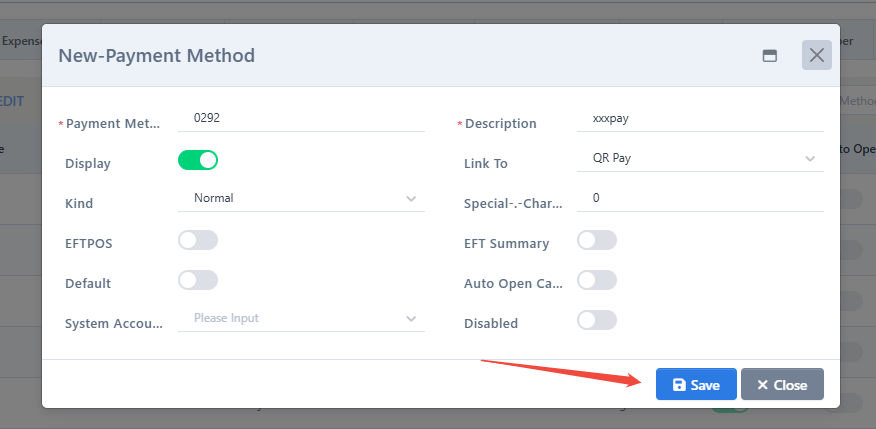
Click “Save”.
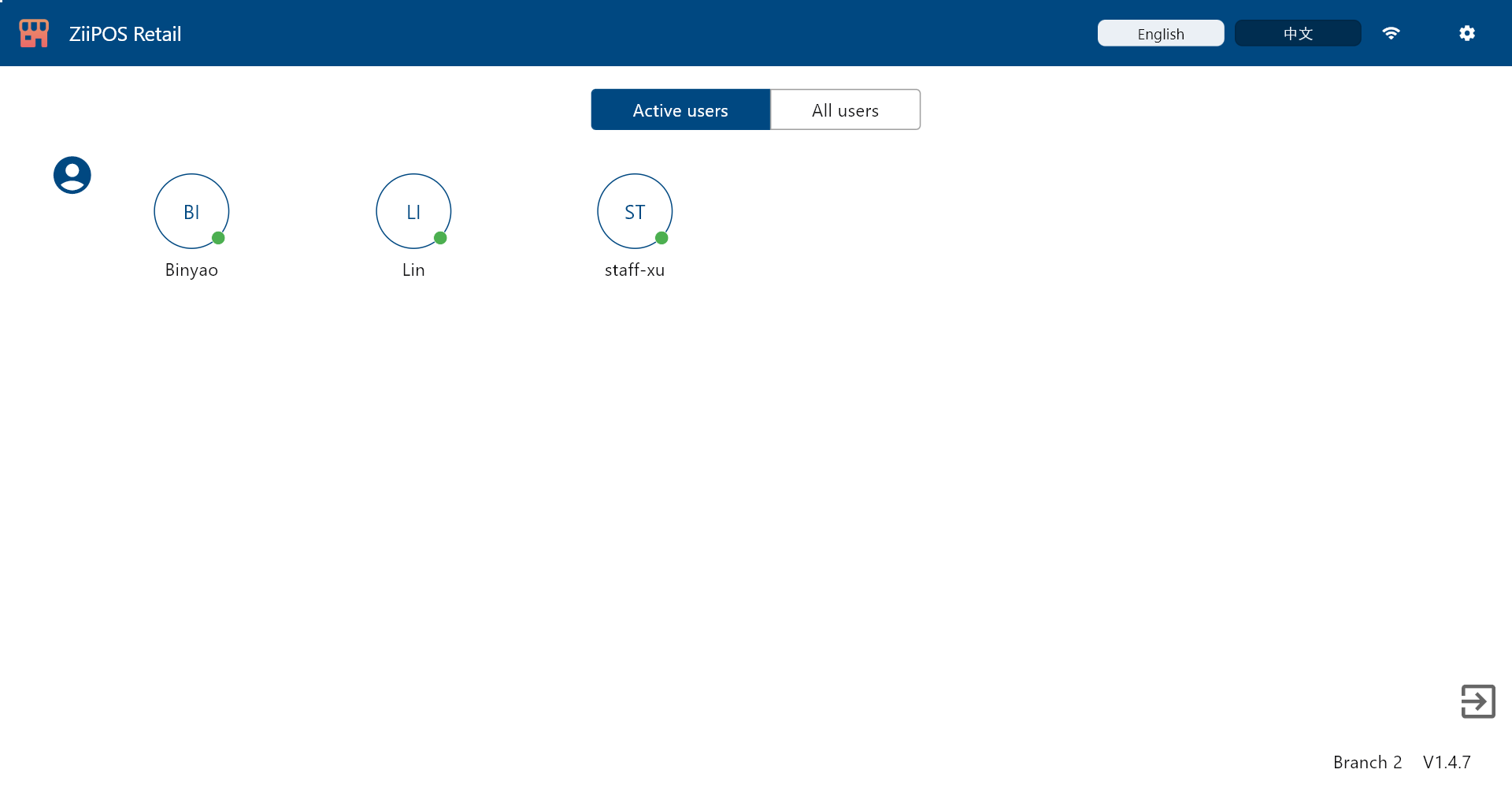
Then go to ZiiPOS Retail and log in.
Click the button on the top left corner.
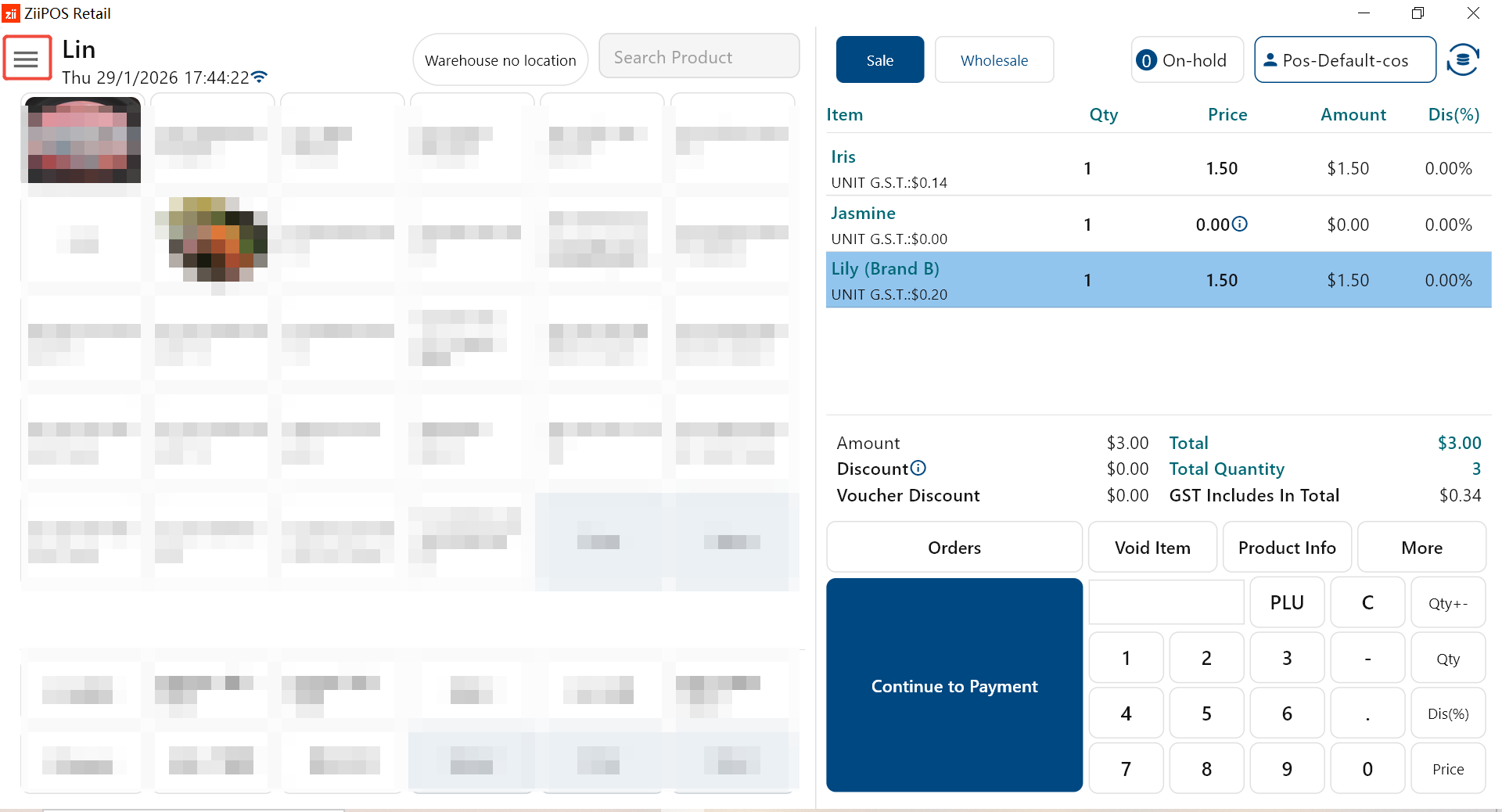
Go to “Settings”.
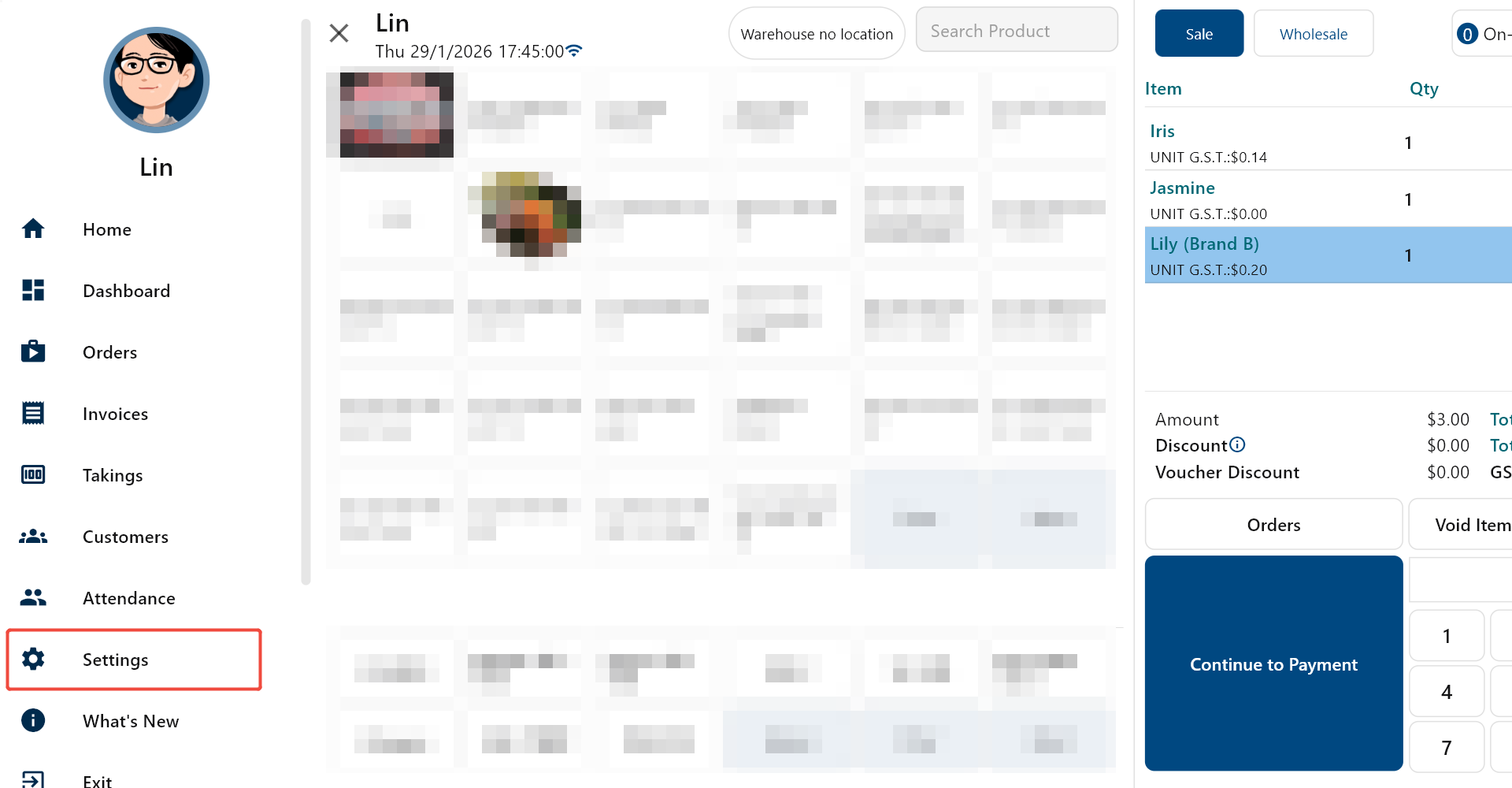
Click the area next to “Wechat Pay/Alipay”.
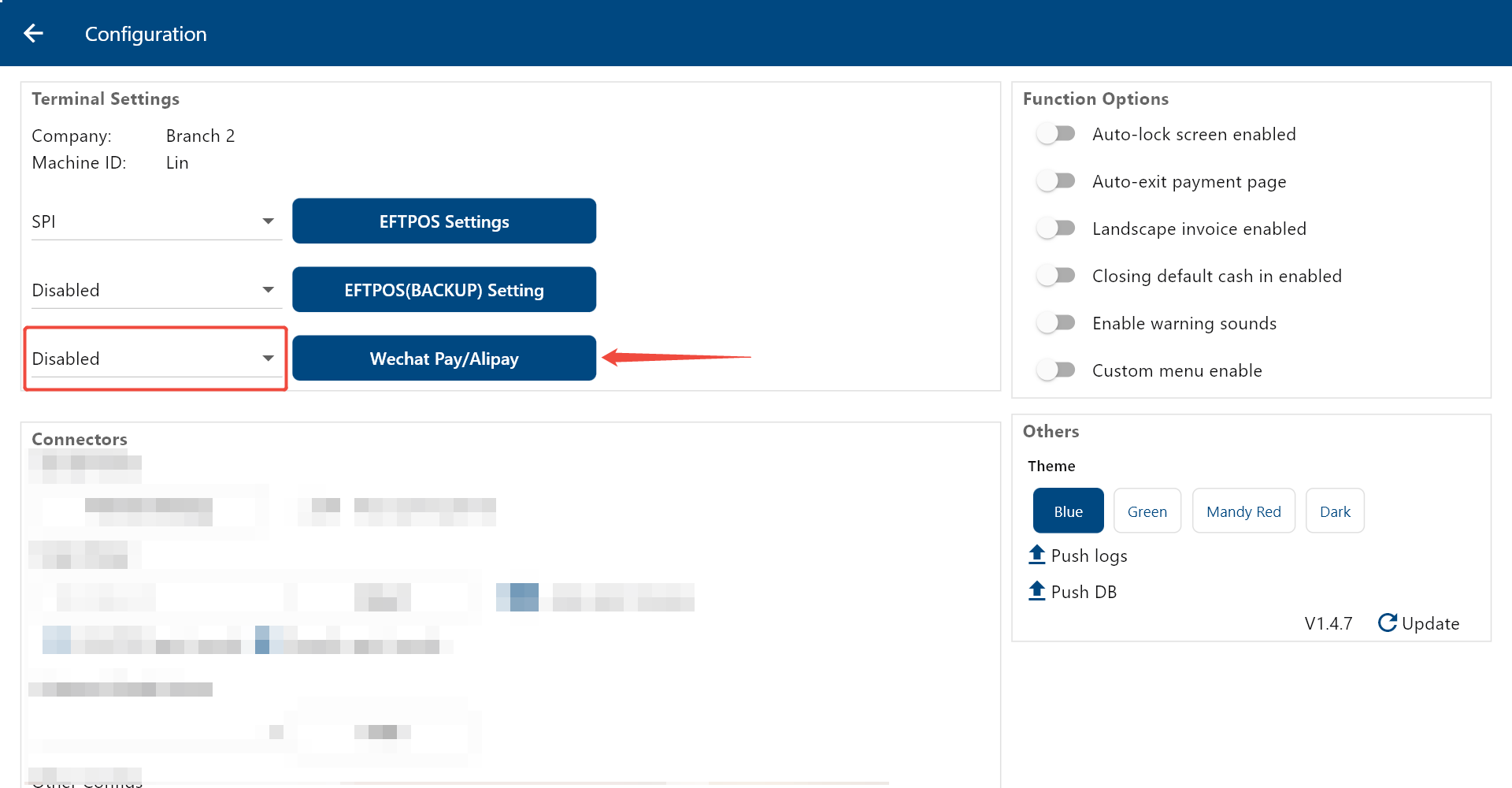
Select “Huepay”.
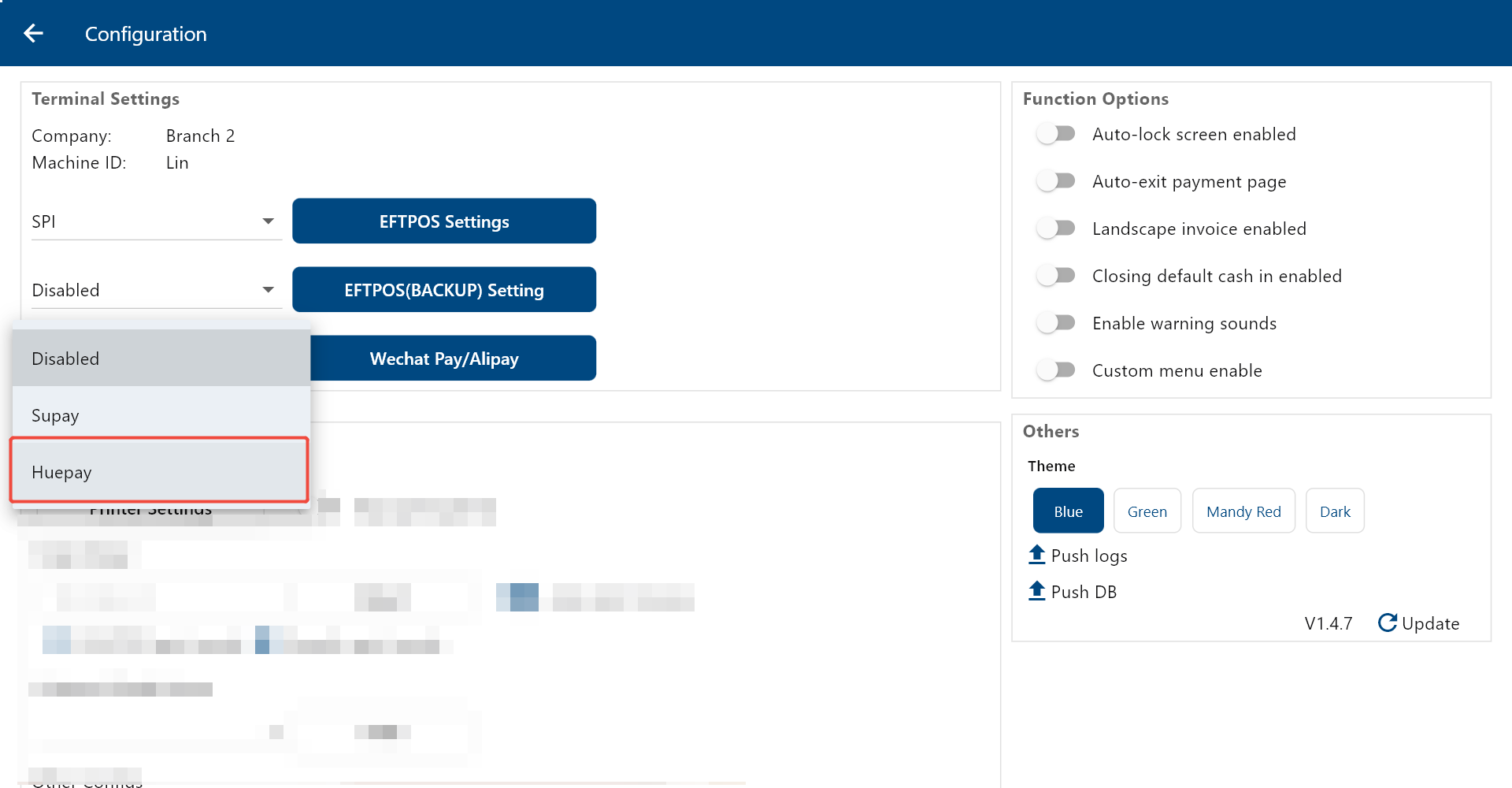
Then click “Wechat Pay/Alipay”.
Enter the client ID, which is usually attached in the email from Huepay and starts with “CEAU”.
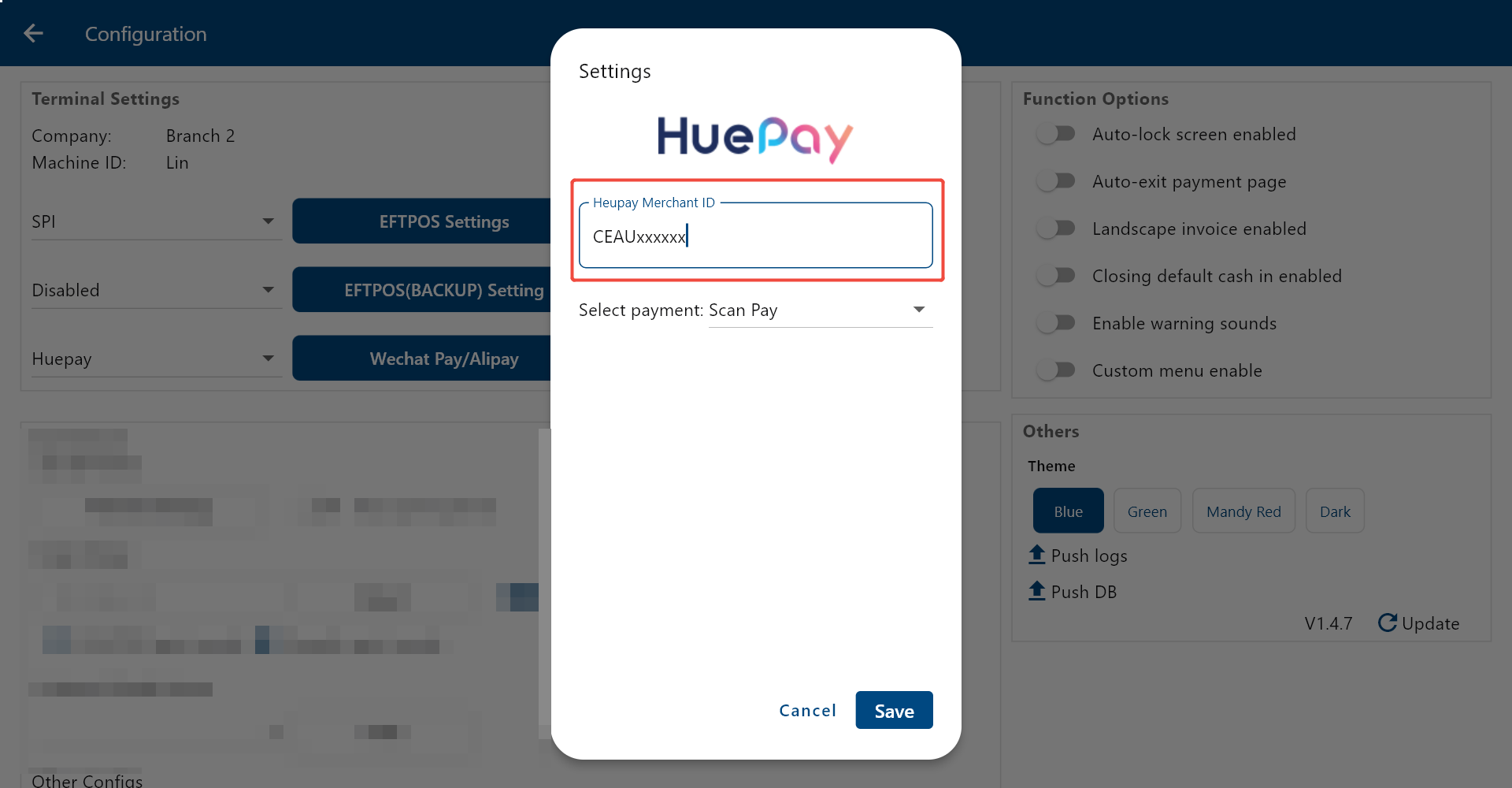
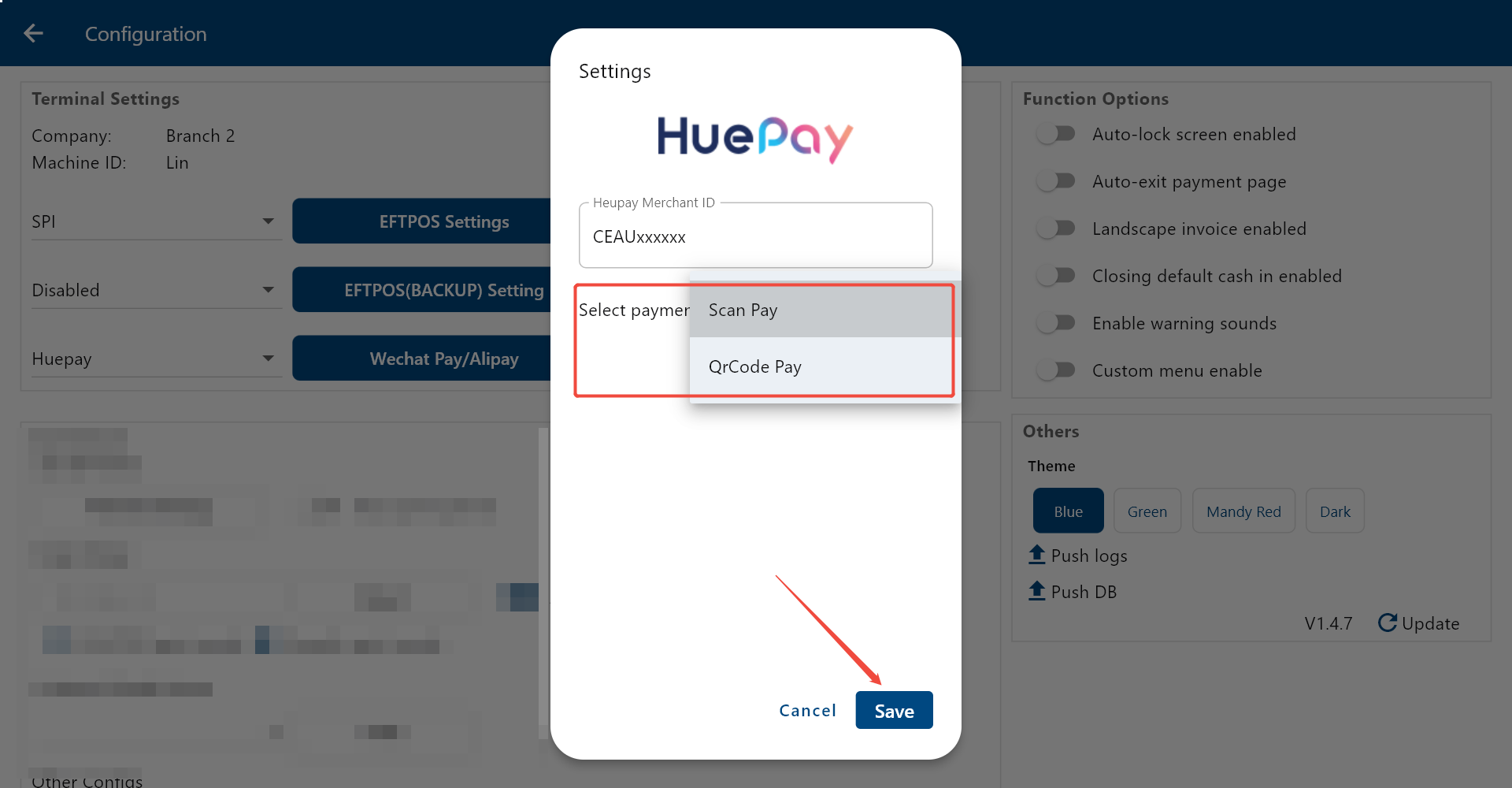
Select the mode to be “Scan Pay” [using a scanner to scan customer’s payment QR code] or “QRCode Pay” [popping up a payment code for customers to scan] based on your needs. Then click “Save”.
Click “OK”, then HuePay integration is done.