Zii Help Center
  • English
  1. Home
  2. Knowledge Base
  3. ZiiPOS (F&B)
  4. ZiiPOS FB Settings
  5. Menu Related Settings
  6. Cloud Menu–How to Customize Items’ Font Color and Background Color in Batches
Searching...

Cloud Menu–How to Customize Items’ Font Color and Background Color in Batches

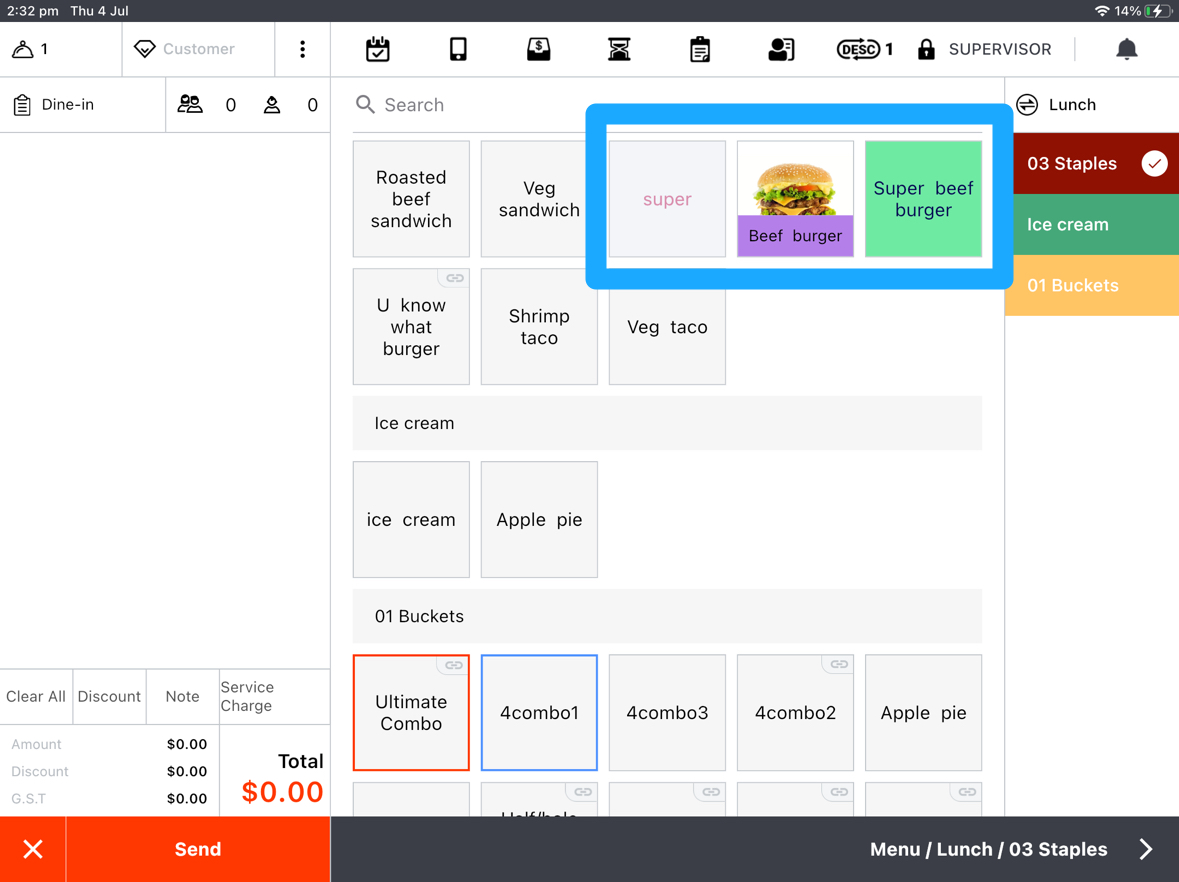
Starting from V 2.7.9, item’s font and background color on ZiiPOS can be customized. This guide will walk you through the process.


Do you have ZiiPOS machine on your side?

Yes
No
Pages: 1 2 3
Updated on 1 January 2025
Tagged: colorcolourcustomizeitem colour

Related Articles

  • ZiiPOS F&B–How to Integrate with DoorDash
  • Cloud Menu-How to Edit Menu Group Available Time
  • Cloud Menu-How to Make Items Have Multi-Prices
  • Cloud Menu-How to Change Item’s Name
  • Cloud Menu-How to Assign Printers to Print Item
  • Cloud Menu-How to Change Item’s Price
Topics

  • ZiiPOS (F&B)
    • Get Started with ZiiPOS
    • ZiiPOS FB Settings
    • ZiiPOS FB Operating Manual
    • Hardware
  • ZiiTO
  • ZiiKiosk (F&B)
  • ZiiKDS
  • Zii APP
  • Online Order (F&B)
  • QR Code Ordering
  • Reservation (F&B)
  • Membership and Promotion (F&B)
    • Gift card
    • Loyalty
  • Reports (F&B)
    • Daily Report
    • Orders Report
  • ZiiPOS Classic Retail
    • ZiiPOS Classic Retail-Settings
    • ZiiPOS Classic Retail-Business Management
    • ZiiPOS Classic Retail-Operating Manual
  • PDA (Retail)
  • Membership (Retail)
  • Reports (Retail)
  • ZiiPOS Retail
    • Web Inventory
    • POS
    • Zii Smart PDA
    • ZiiPSI–What's New

Popular Articles

  • ZiiPOS – Instruction & Option set
  • Cloud Menu–How to Add a New Item
  • Cloud Menu–How to Add a New Menu Group
  • Cloud Menu–How to Add a New Category
  • Cloud Menu–How to Create an Instruction and Assign It to an Item
© Copyright Ziitech Pty Ltd.
  • English