Zii Help Center
  • English
  1. Home
  2. Knowledge Base
  3. Online Order (F&B)
  4. ZiiPOS F&B–How to Cancel an Online Order
Searching...

ZiiPOS F&B–How to Cancel an Online Order

When there’s an online order coming, a badge will show up here on ZiiPOS screen.
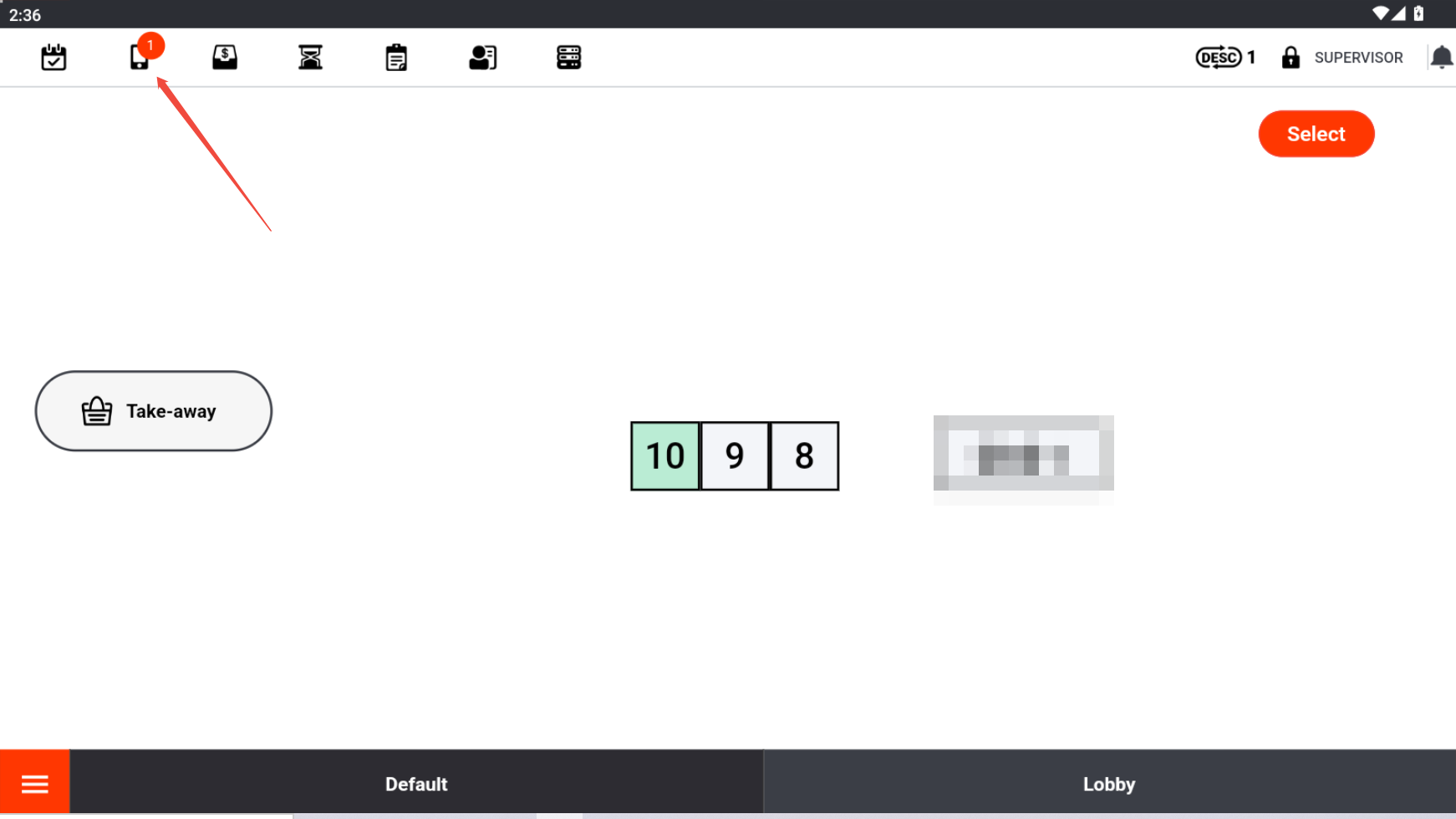
Click it and you will see the order listing here.
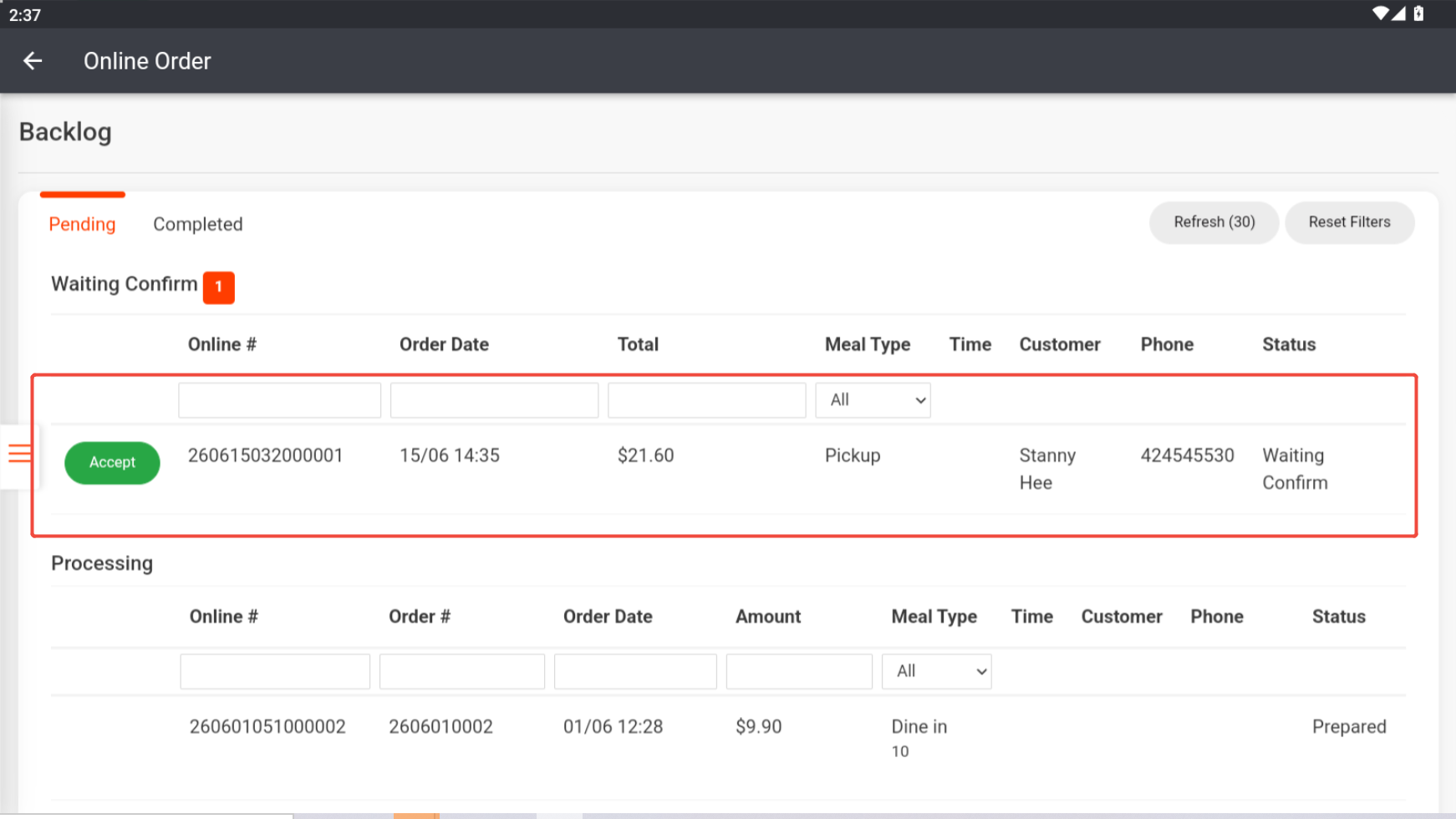
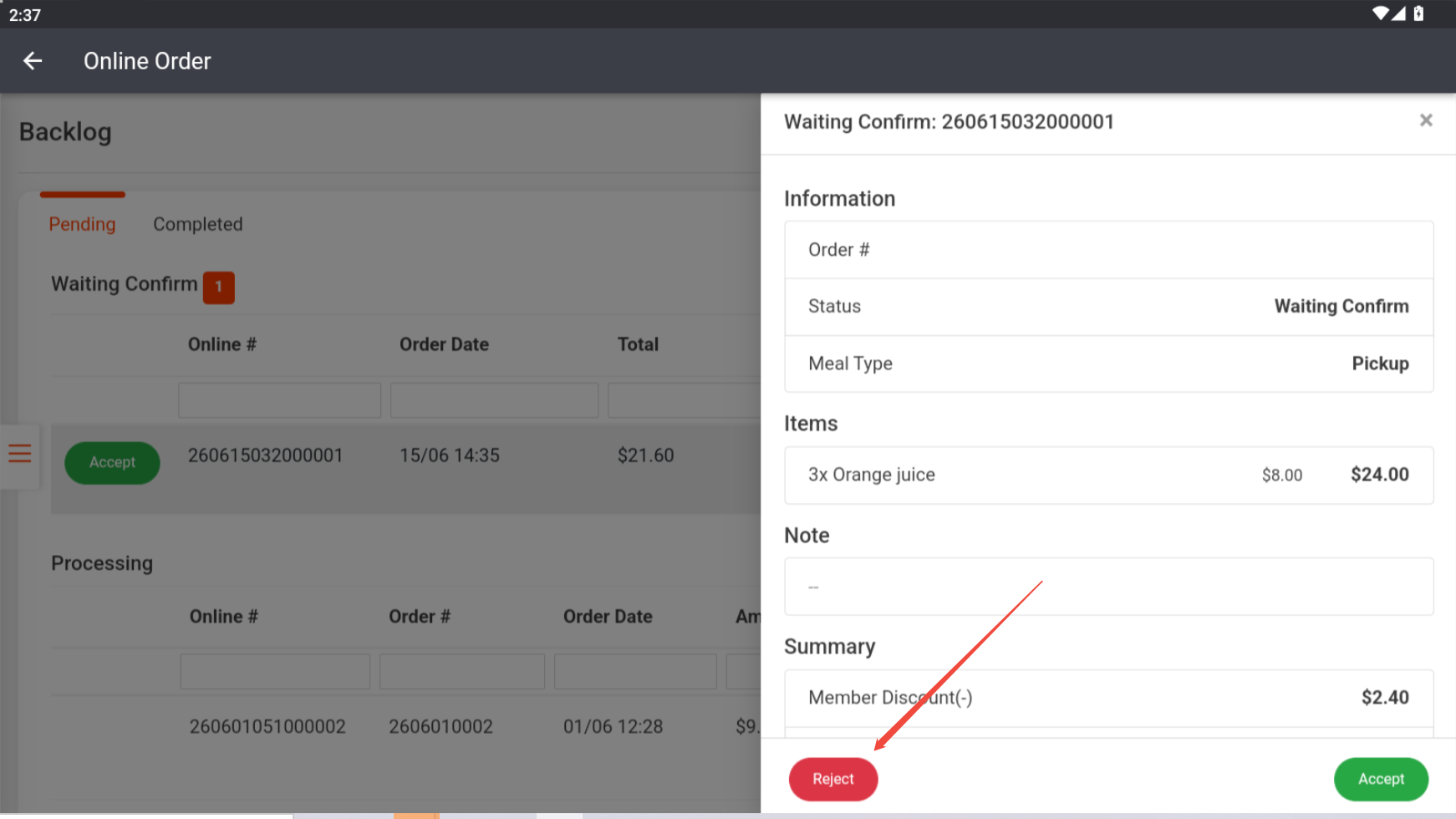
To cancel an order, click it and hit “Reject”.
Updated on 15 June 2026

Related Articles

  • ZiiPOS – How to integrate with HungryPanda
  • QR Order & Online Order: How to a Bind Stripe Account
  • ZiiPOS F&B–How to Enable or Disable Pick-Up or Delivery for Online Ordering
  • ZiiPOS F&B–How to Add a Pop-up Message for Online Order, QR Code Ordering, or ZiiKiosk Ordering
  • How to Enable/Disable Delivery or Pick-up from Online Ordering
  • Cloud Menu–How to Batch Enable/Disable Online Ordering or QR Code Ordering to Items (Subscription Required)

Topics

  • ZiiPOS (F&B)
    • Get Started with ZiiPOS
    • ZiiPOS FB Settings
    • ZiiPOS FB Operating Manual
    • Hardware
  • ZiiTO
  • ZiiKiosk (F&B)
  • ZiiKDS
  • Zii APP
  • Online Order (F&B)
  • QR Code Ordering
  • Reservation (F&B)
  • Membership and Promotion (F&B)
    • Gift card
    • Loyalty
  • Reports (F&B)
    • Daily Report
    • Orders Report
  • ZiiPOS Classic Retail
    • ZiiPOS Classic Retail-Settings
    • ZiiPOS Classic Retail-Business Management
    • ZiiPOS Classic Retail-Operating Manual
  • PDA (Retail)
  • Membership (Retail)
  • Reports (Retail)
  • ZiiPOS Retail
    • Web Inventory
    • POS
    • Zii Smart PDA
    • ZiiPSI–What's New

Popular Articles

  • How to Set Available Time for Online Order
  • QR Order & Online Order-Customize Your Digital Store
  • QR Order & Online Order: How to Enable or Disable Auto-Acceptance
  • How to Set a Minimum Amount for Delivery or Pick-up
  • ZiiPOS – How to Do Refund for an Online Order
© Copyright Ziitech Pty Ltd.
  • English