
This article will show you how to modify opening hours.
Please sign in Portal to process. Zii – Dashboard (ziicloud.com)
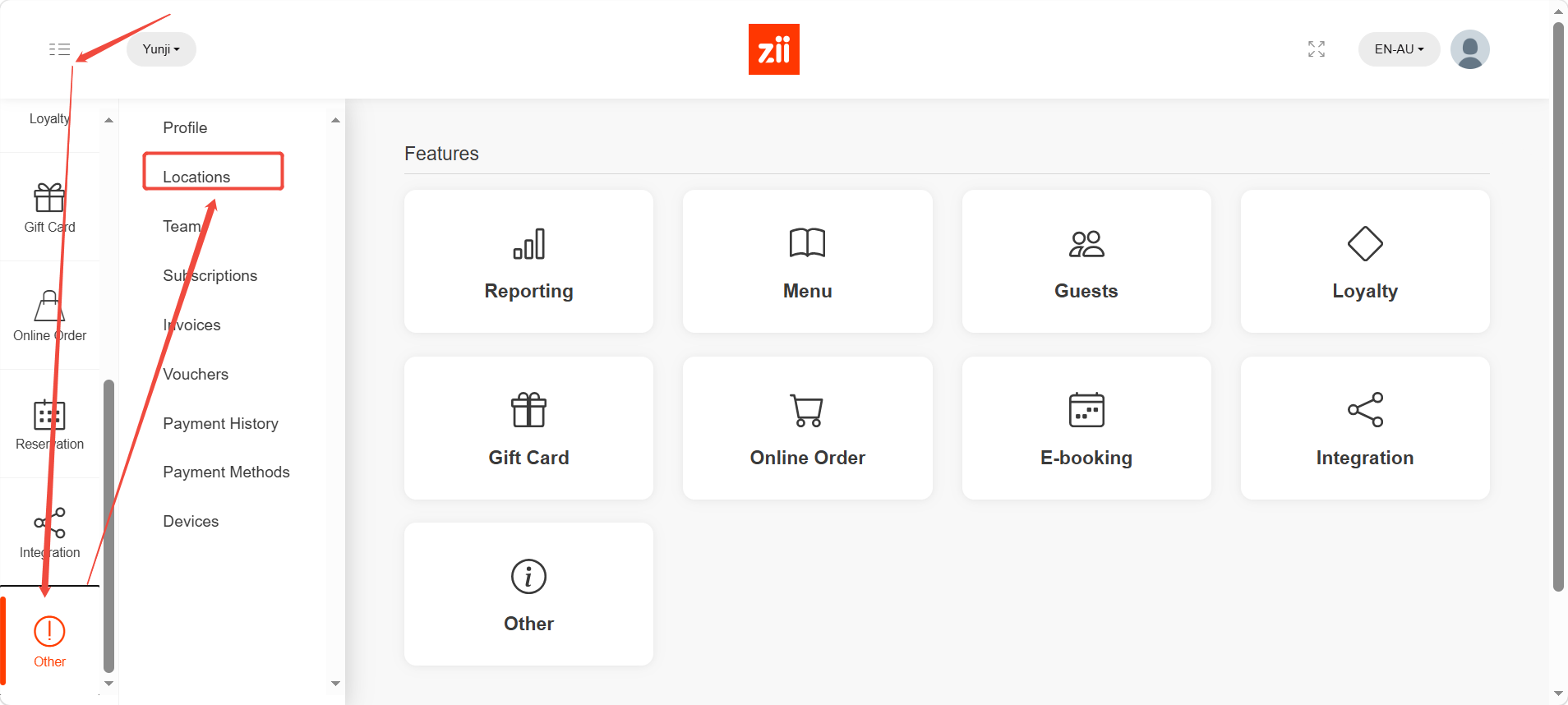
- Find “others” and click on “locations”
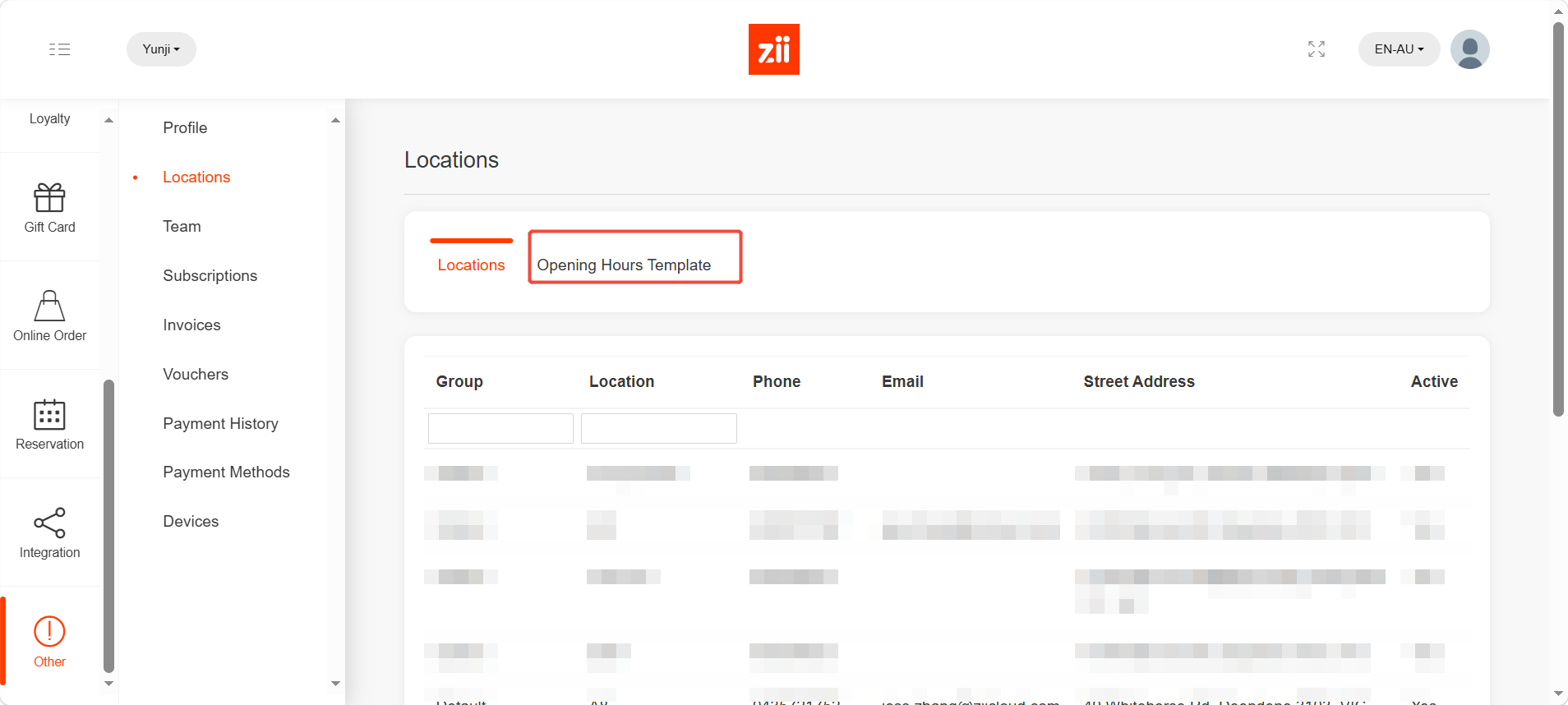
- Go to “Opening Hours Template”.
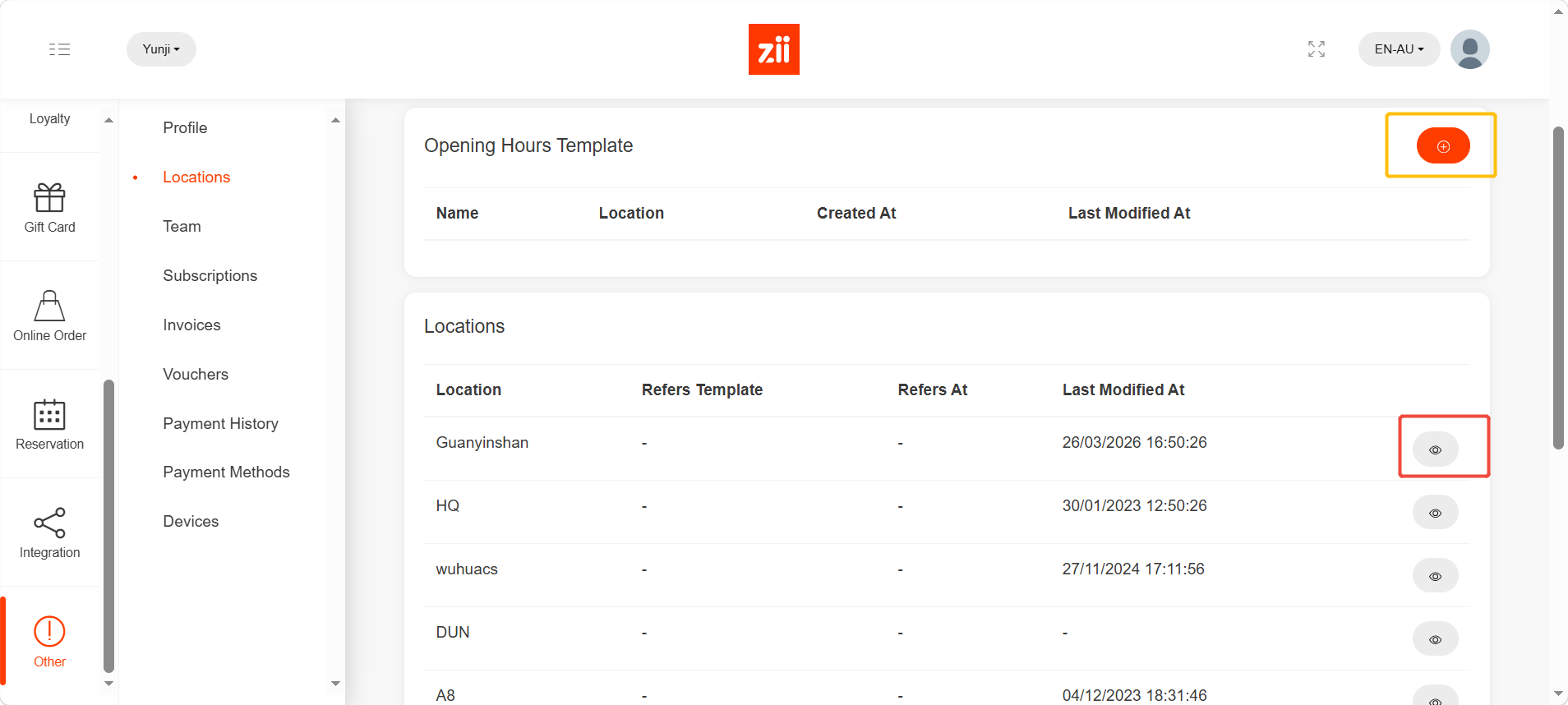
- To edit the opening hours for all of your locations, you may click the “+” button marked in yellow.
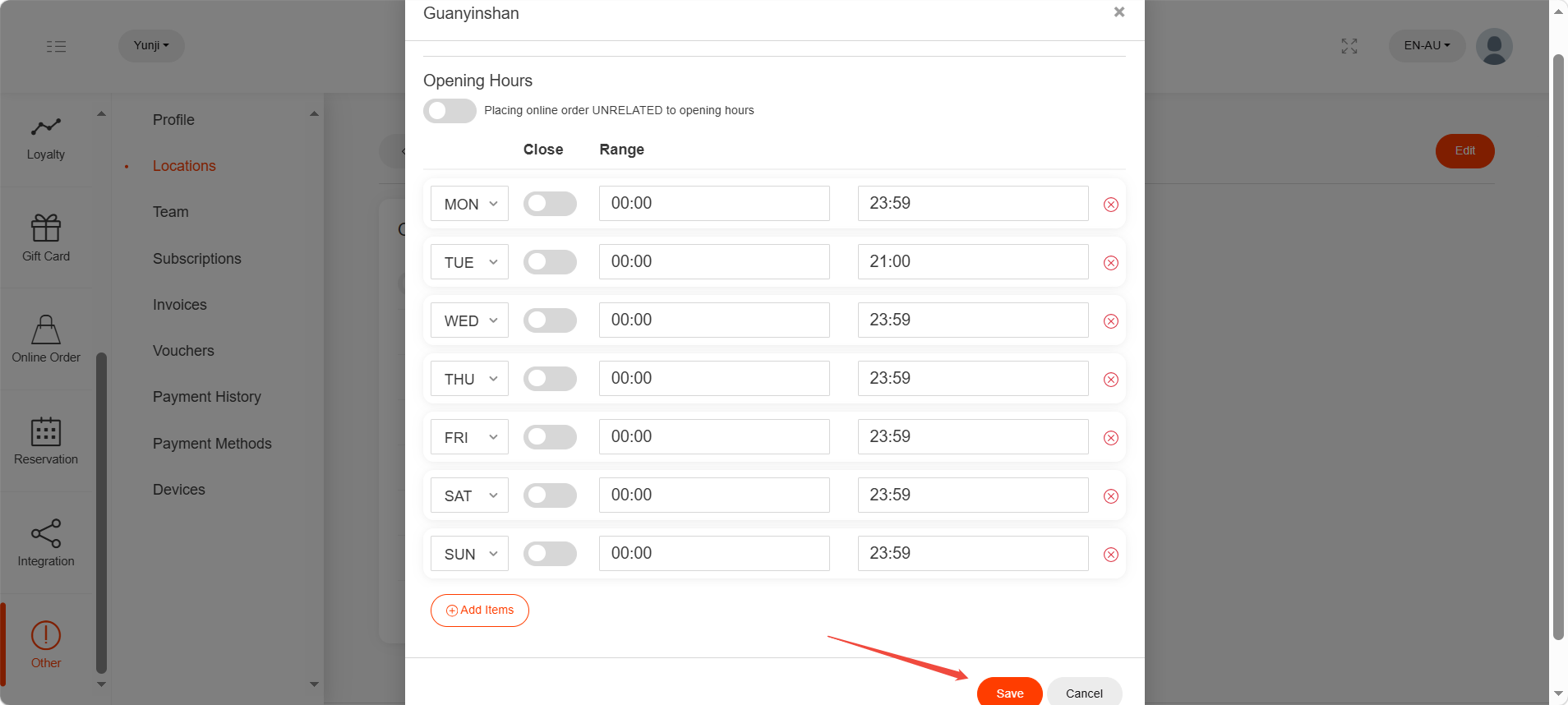
- Set up the hours and click “Save”.
- To edit the location opening hours, please click the eye-like icon marked in red.
- Click “Edit”.
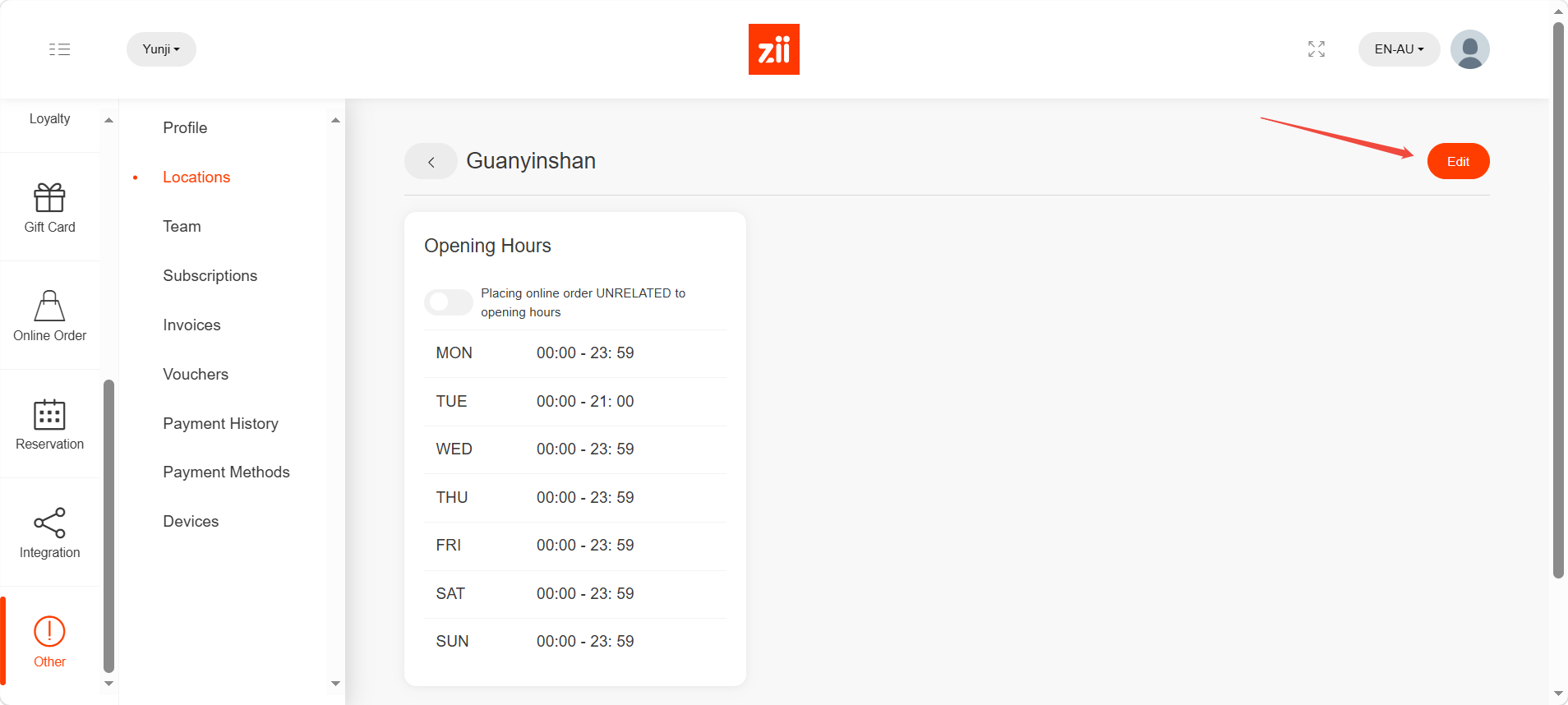
Set up the hours and click “Save”.
